Ghosttyはクロスプラットフォームのターミナルエミュレーター。動作が軽くカスタマイズ性が高い。
Macへのインストールと設定
brewでインストールした。
brew install --cask ghostty各種の設定はGUIではなくconfigファイルで行う。
~/Library/Application Support/com.mitchellh.ghostty/config
設定ファイルをターミナル内から再読み込みするのはcmd+shift+,
ターミナルから以下のコマンドを入力すると、使用できる(インストールされている)フォントファミリのリストが表示される。
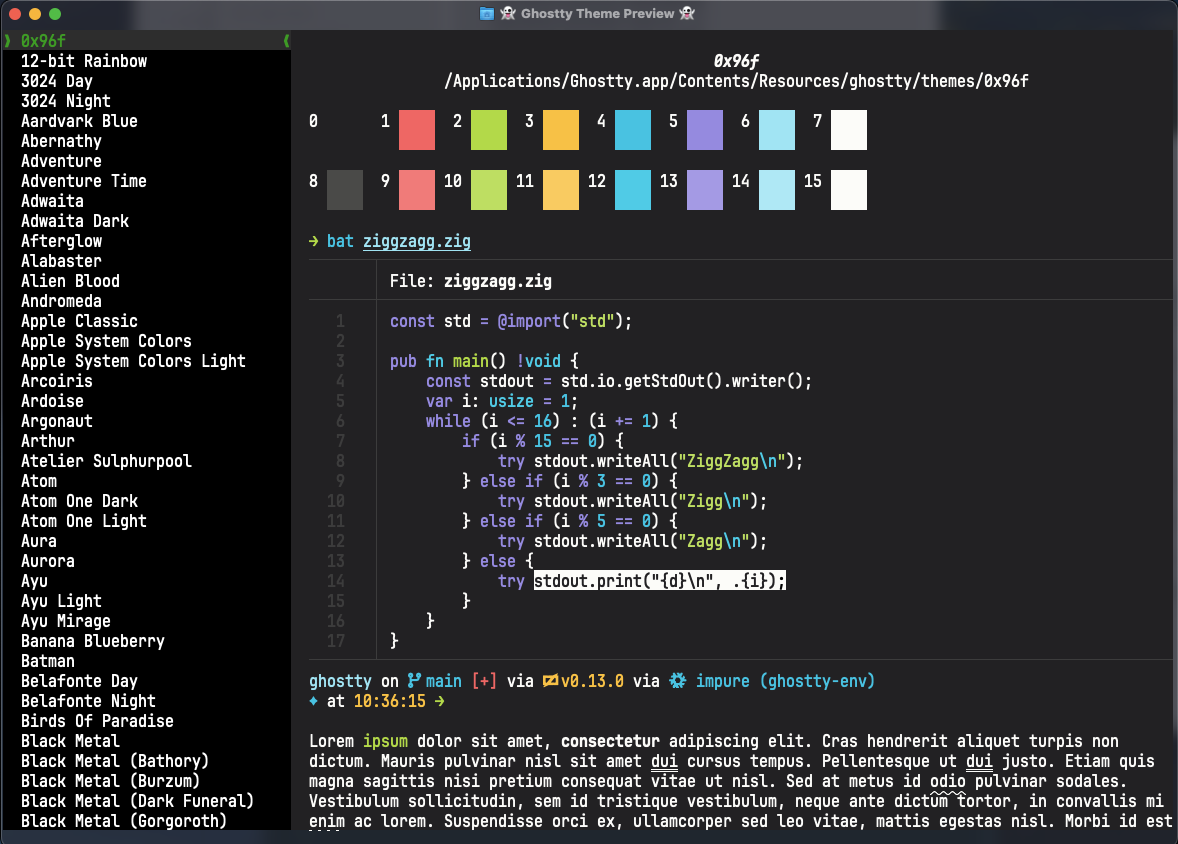
ghostty +list-fonts以下のコマンドでインストールされているテーマのリストが表示される。
ghostty +list-themesこのようにプレビューを表示しながらテーマを選ぶことができる。
現時点での設定ファイルは以下の通り。
theme = "Dracula"

font-family = "UDEV Gothic"
font-thicken
font-size = 20

mouse-hide-while-typing

window-theme = dark
background-opacity = 0.8
background-blur = true
macos-titlebar-style = transparent

window-inherit-working-directory = true
window-save-state = always設定可能な項目の説明はConfigurationにある。かなりの数があるが、自分は必要最低限のものに絞った。
Alfred関連の設定
デフォルトで使用するターミナルをGhosttyに変更するため、Alfredの設定変更とワークフローの修正を行った。
Teminalの設定変更
以下のGhosttyとの連携スクリプトを手順に従って設定する。
zeitlings/alfred-ghostty-script: AppleScript for Ghostty Alfred integration
terminalfinderワークフローの修正
ファインダとターミナルを行き来するのに使っているAlfredのtermmialfinderワークフローにGhostty用のトリガーとスクリプトを追加した。
Finderで表示しているフォルダをGhosttyで開くスクリプト(キーワードfgでトリガー)
on alfred_script(q)
  try
    tell application "Finder"
      if (count of windows) is 0 then
        set cwd to POSIX path of (path to home folder)
      else
        set cwd to POSIX path of (target of front window as alias)
      end if
    end tell

    tell application "Ghostty"
      activate

      set cfg to new surface configuration
      set initial working directory of cfg to cwd

      if (count of windows) is 0 then
        new window with configuration cfg
      else
        set win to front window
        new tab in win with configuration cfg
      end if
    end tell

  on error errMsg number errNum
    return "ERROR " & errNum & ": " & errMsg
  end try
end alfred_scriptGhosttyのカレントディレクトリをFinderで開くスクリプト(キーワードgfでトリガー)
on alfred_script(q)
  try
    tell application "Ghostty"
      activate

      if (count of windows) is 0 then
        return "ERROR: Ghosttyのウィンドウがありません。"
      end if

      set term to focused terminal of selected tab of front window
      set cwd to working directory of term
    end tell

    do shell script "open -a Finder " & quoted form of cwd

  on error errMsg number errNum
    return "ERROR " & errNum & ": " & errMsg
  end try
end alfred_script